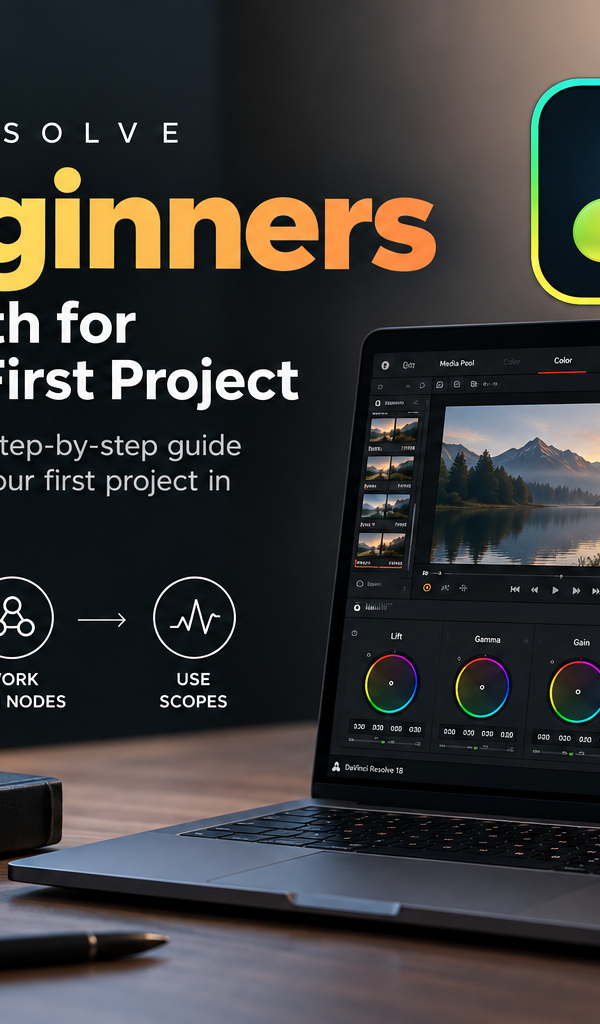
Why DaVinci Resolve Is the Best Video Editing App (And Honestly, It's Not Even Close)
Thinking about switching to DaVinci Resolve? Spoiler: you'll wonder why you ever used anything else. Discover why editors, colorists, and filmmakers are making the switch — and where to learn it in Kerala.
The App That Changed Everything
Okay, let's just say it out loud DaVinci Resolve is that editing app. The one people keep talking about. The one that makes seasoned editors do a double-take and complete beginners go "wait, this is free?!"
Whether you're someone who's just started dabbling in video editing or a professional who's been cutting footage for years, DaVinci Resolve has something that makes you stop and smile. It's not just another editing tool. It's the whole package editing, color work, audio mixing, visual effects all sitting together in one beautiful, well-thought-out place.
And the more you use it, the more you realize: this isn't just good. This is genuinely different.
So why exactly is DaVinci Resolve pulling ahead of other non-linear editing apps like Premiere Pro, Final Cut Pro, and Avid? Let's get into it and trust me, this is going to be a fun ride.
What Even Is a Non-Linear Editing App?
Before we dive in, just a quick moment for anyone who's newer to this world.
A non-linear editing app (NLE) is software that lets you cut, arrange, and edit video clips in any order you like without affecting the original footage. You're basically arranging puzzle pieces on a timeline. DaVinci Resolve is one of these apps. So is Adobe Premiere Pro, Final Cut Pro X, Avid Media Composer, and a handful of others.
But here's the thing not all NLEs are created equal. And DaVinci Resolve? It's in its own league.
1. It's Free - And We Mean Actually Free
Let's start with the thing that makes everyone's jaw drop a little.
DaVinci Resolve's free version isn't a watered-down trial. It isn't "free for 30 days." It's just... free. As in, download it today and use it for real professional work without paying a single rupee.
Compare that to Adobe Premiere Pro, which requires a monthly subscription. Or Avid Media Composer, which can cost anywhere from thousands of rupees to lakhs depending on the license. Apple's Final Cut Pro is a one-time purchase, which is better but it's still locked to macOS and costs around ₹30,000.
DaVinci Resolve gives you an extraordinarily capable tool for nothing. And the paid version called DaVinci Resolve Studio is a one-time payment that costs less than a year's subscription to Premiere Pro.
That's not just good value. That's kind of wild.
2. Color Grading That's in a Class of Its Own
Oh, this is where things get exciting. This is where DaVinci Resolve really shows off.
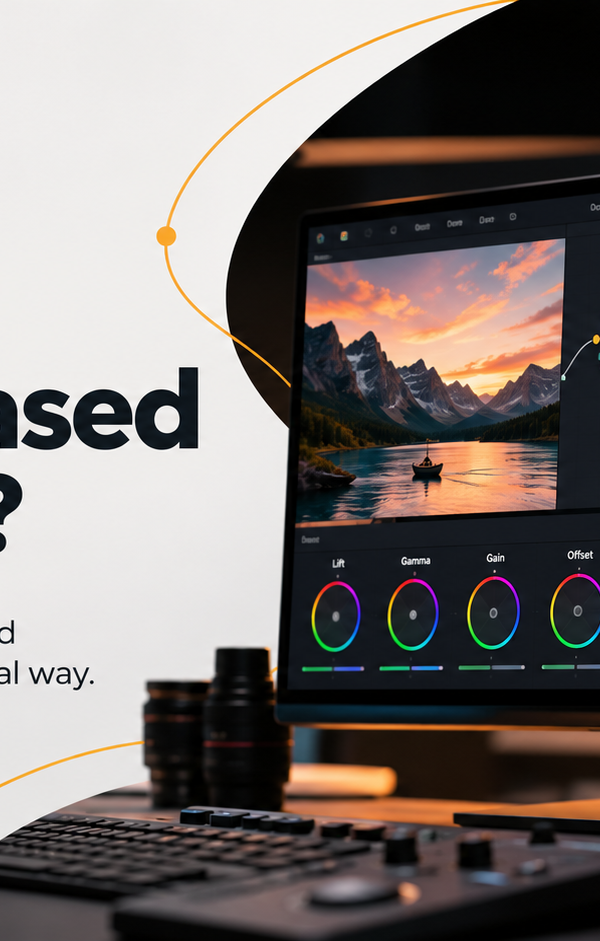
You know how some apps have a "color correction" panel tucked somewhere in a menu? DaVinci Resolve has an entire dedicated page just for color work. It was literally built by Blackmagic Design a company that's been obsessed with color science for decades. Before it became an editing app, DaVinci was exclusively a color grading system used in Hollywood.
Films like Mad Max: Fury Road, Avengers: Endgame, and dozens of Oscar-winning titles were colored using DaVinci. That same technology is now sitting in your laptop, free to use.
The Color page gives you:
Node-based color workflows (once you understand them, you'll never go back)
HDR tools that actually make sense
Color science built around real film and camera profiles
The ability to match shots across different cameras with jaw-dropping accuracy
A whole range of qualifier tools to isolate and grade specific elements in your frame
No other NLE comes close to this. Premiere Pro's Lumetri panel is decent, but it feels like a toy compared to what Resolve offers. Final Cut's color tools are surprisingly strong, but they still lack the depth and flexibility of Resolve's color page.
If you're serious about learning color grading whether you're in Mumbai, Bangalore, or searching for a color grading course in Kochi DaVinci Resolve is the only software worth learning on. Period.
3. Everything Lives in One Place (And That's a Big Deal)
Here's something that sounds small but will completely change how you work: DaVinci Resolve doesn't make you jump between apps.
Most professional video workflows involve multiple applications. You edit in one app, export to another for colour work, send audio to a DAW like Pro Tools or Audition, bring it back, re-export, and so on. Every round-trip is a chance for something to go wrong sync issues, format problems, quality loss.
DaVinci Resolve solved this beautifully with its page-based system:
Cut Page Quick, fast assembly editing
Edit Page Full timeline editing (very familiar if you're coming from Premiere)
Fusion Page Motion graphics and visual effects (think After Effects, built right in)
Fairlight Page Professional audio mixing and editing
Colour Page The legendary grading suite
Deliver Page Export settings for every possible format
Everything in one project file. One app. No back and forth. It's the kind of thing that makes you realise how much time you used to waste switching between software.
4. Collaboration That Actually Works
This one might surprise you DaVinci Resolve was designed from the beginning to support multiple people working on the same project at the same time.
An editor can be cutting scenes on one system. A colorist can be working on color in another room. An audio engineer on Fair light, someone doing VFX in Fusion all at the same time, all in the same project, with no conflicts.
Try that with Premiere Pro or Final Cut. You'll hit walls fast.
For post-production studios and teams especially those training the next generation of DI colorists and editors this collaboration feature is a massive practical advantage.
5. The Fusion Page Is Basically After Effects (Included Free)
Let's talk about motion graphics for a second, because this deserves its own spotlight.
Fusion is a node-based compositing tool. It's powerful enough to create broadcast-quality titles, complex motion graphics, and even full-on visual effects. And it's built right into DaVinci Resolve no extra subscription, no separate install.
Adobe charges separately for After Effects on top of Premiere Pro. With Resolve, Fusion is just there, waiting for you.
Now, After Effects has a larger community and more tutorials floating around that's genuinely true, and worth acknowledging. But Fusion is catching up fast, and for most everyday post-production needs, it handles everything beautifully.
6. It Works on Every Platform
DaVinci Resolve runs on:
Windows
macOS
Linux
Final Cut Pro? Only macOS. That's a real limitation if your workplace uses a mix of systems, or if you're working across machines.
DaVinci Resolve doesn't care what operating system you're on. It runs. It runs well. That kind of cross-platform reliability is something studios genuinely appreciate.
7. The Learning Curve Is Worth It (And Shorter Than You Think)
Here's one thing people say about DaVinci Resolve: "It looks complicated."
And okay, the first time you open it, it does feel like a lot. There are pages, nodes, panels, scopes, and tools that you've never seen before. It can look a little overwhelming.
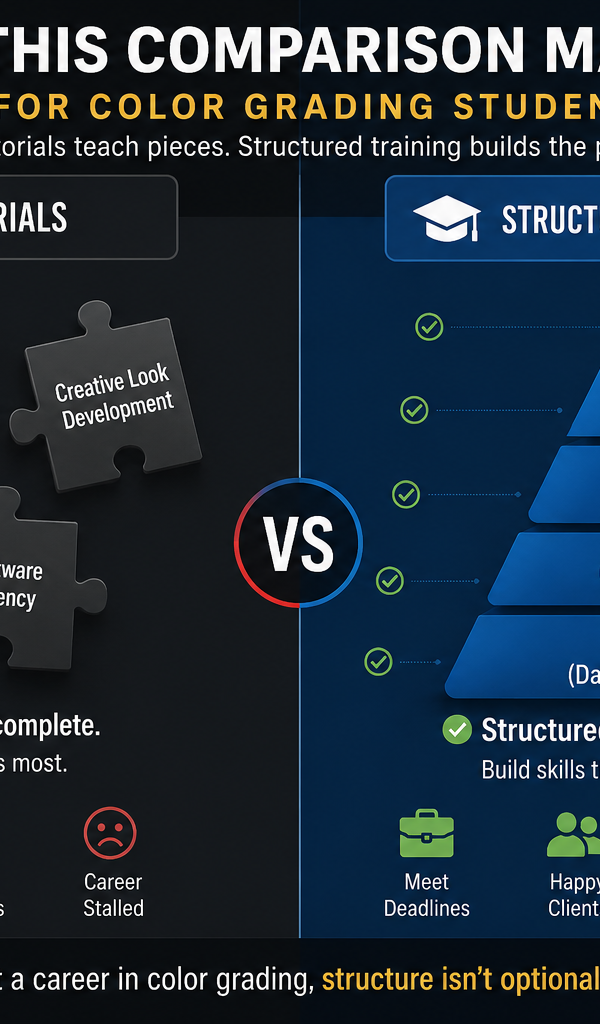
But here's the honest truth once you spend a week with it, things start clicking. The layout is logical. The tools do what they say they do. And because Blackmagic Design offers free official training and certification, there are clear pathways to learning it properly.
For anyone looking for a color grading course in Kerala or a structured DI colorist course in Kochi, DaVinci Resolve is the software that the industry actually uses. Learning it opens real doors. Knowing Premiere Pro is useful. Knowing DaVinci Resolve especially the color tools is what studios are actively looking for.
8. Regular Updates That Keep It Growing
Blackmagic Design releases major updates to DaVinci Resolve multiple times a year and these aren't small tweaks. Each version often introduces genuinely new features that push the software forward in meaningful ways.
And the best part? All those updates are free for the base version. If you're on Resolve Studio, you get updates for the lifetime of the software with no additional cost.
Meanwhile, you're paying Adobe every month whether they release something useful or not.
9. It's What the Industry Runs On
If you want to work in film and television post-production really work in it, at a professional level DaVinci Resolve is the software you need to know.
Studios around the world use it. Feature films are finished in it. Streaming giants like Netflix have approved it as a delivery platform. Colorists who work at the highest level of the industry built their careers on it.
This matters so much when you're choosing what to learn. Especially if you're a student or someone making a career change. Spending months mastering software that studios don't use is a real risk. Learning DaVinci Resolve means learning something that has direct, immediate professional value.
For students in Kerala exploring a color grading course in Kochi or a DI colorist course in Kochi, getting certified in DaVinci Resolve puts your CV in a very different category.
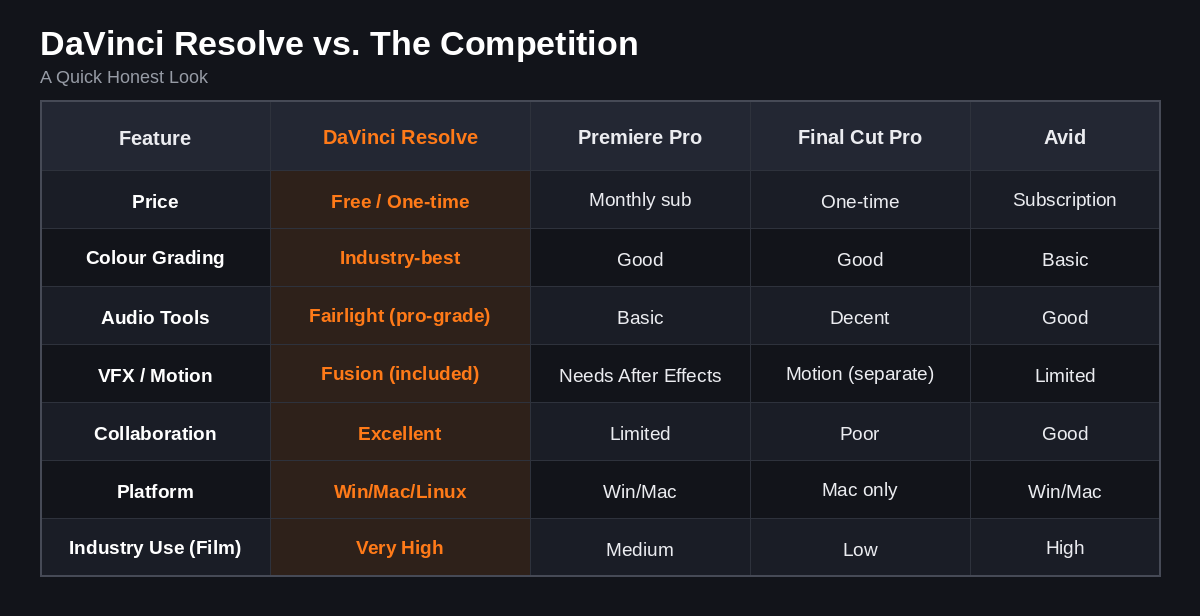
The numbers tell their own story, don't they?
Who Should Learn DaVinci Resolve?
Honestly? Almost anyone working with video. But let's be specific:
Aspiring film editors who want to work on feature films or web series Resolve is your path.
Colorists and DI artists this is the software your career depends on. If you're looking at a color grading course in Kerala, make sure it's taught on Resolve.
YouTube creators and content creators the free version handles everything you need and the export quality is excellent.
Advertising and commercial editors clients want fast turnarounds and great-looking work. Resolve delivers both.
Students in film and media get ahead of your peers by learning the software that studios actually hire for.
Why Kochi Is an Exciting Place to Learn This
Kerala has a vibrant and growing film industry Malayalam cinema has been producing some of the most acclaimed films in the country, and that's not changing anytime soon. The demand for skilled colorists, editors, and post-production professionals in the state is real and growing.
Kochi, in particular, is becoming a hub for creative professionals and production houses. Finding a genuine color grading course in Kochi one that teaches DaVinci Resolve properly, from the ground up can be the difference between getting into the industry and waiting on the sidelines.
A proper DI colorist course in Kochi doesn't just teach you buttons. It teaches you to see to understand light, tone, mood, and how color tells a story. And DaVinci Resolve is the only tool that gives students the full depth to explore all of that.
Frequently Asked Questions
Is DaVinci Resolve really free to use professionally? Yes! The free version of DaVinci Resolve is genuinely capable of professional-level work. There's no watermark, no time limit, and no feature lock that would stop you from completing real projects. The paid Studio version adds a few advanced features, but most editors and colorists work happily in the free version.
Is DaVinci Resolve better than Adobe Premiere Pro? For color grading and overall value, DaVinci Resolve is significantly stronger. For people already deep in the Adobe ecosystem (using After Effects, Photoshop, Audition), Premiere Pro stays convenient. But in terms of raw capability and cost, Resolve wins comfortably.
How long does it take to learn DaVinci Resolve? Basic editing in Resolve can be picked up in a couple of weeks. Color grading takes longer to truly master a few months of focused learning will get you to a professional level. A structured course speeds this up considerably.
Which is better for color grading DaVinci Resolve or Final Cut Pro? DaVinci Resolve, without any real debate. It was built as a color grading system first. Final Cut has improved its color tools, but it doesn't come close to Resolve's depth and professional color science.
Where can I learn DaVinci Resolve color grading in Kerala? Kochi has emerging options for serious post-production training. Look for a color grading course in Kochi or a DI colorist course in Kochi that specifically teaches DaVinci Resolve those are the courses that will give you industry-ready skills.
What is a DI colorist? DI stands for Digital Intermediate. A DI colorist is the professional responsible for the final look of a film they grade every shot to ensure the colors, contrast, and visual feel are consistent and intentional across the entire project. It's one of the most creative and technically demanding roles in post-production, and DaVinci Resolve is the tool of choice for this job worldwide.
Can I use DaVinci Resolve on a basic laptop? DaVinci Resolve is more GPU-dependent than some other NLEs, so a dedicated graphics card helps. That said, even mid-range laptops can handle it for HD editing. For color grading at a professional level, a more powerful system (or a dedicated GPU) makes a real difference.
Final Thoughts: It's Not Just Hype
There's a reason DaVinci Resolve has gone from a specialty color grading tool to the most talked-about editing app in the world. It genuinely earned that attention not through marketing, but through capability.
It's free. It's powerful. It does color grading better than anything else on the market. It handles editing, audio, and VFX all in one place. It works on every platform. And it's what the film industry actually uses.
If you've been on the fence about switching, this is your sign. And if you're at the beginning of your journey looking for a color grading course in Kerala, or exploring a future as a DI colorist start with DaVinci Resolve. Learn it properly. Fall in love with the color page. And go make something brilliant.
The tools are all there, ready and waiting. What are you going to create?
Interested in professional training on DaVinci Resolve? Explore color grading courses and DI colorist program's in Kochi and across Kerala and take the first step toward a career in post-production.